Free on the App Store
Your AI English coach for business and tech
The Speak Tech English app for iPhone. Talk through stand-ups, code reviews and today's tech news out loud, hear the accents of global teams and get real-time feedback on what to fix. Same account as the website.

iPhone camera


3,000+ tech professionals learn with Speak Tech English
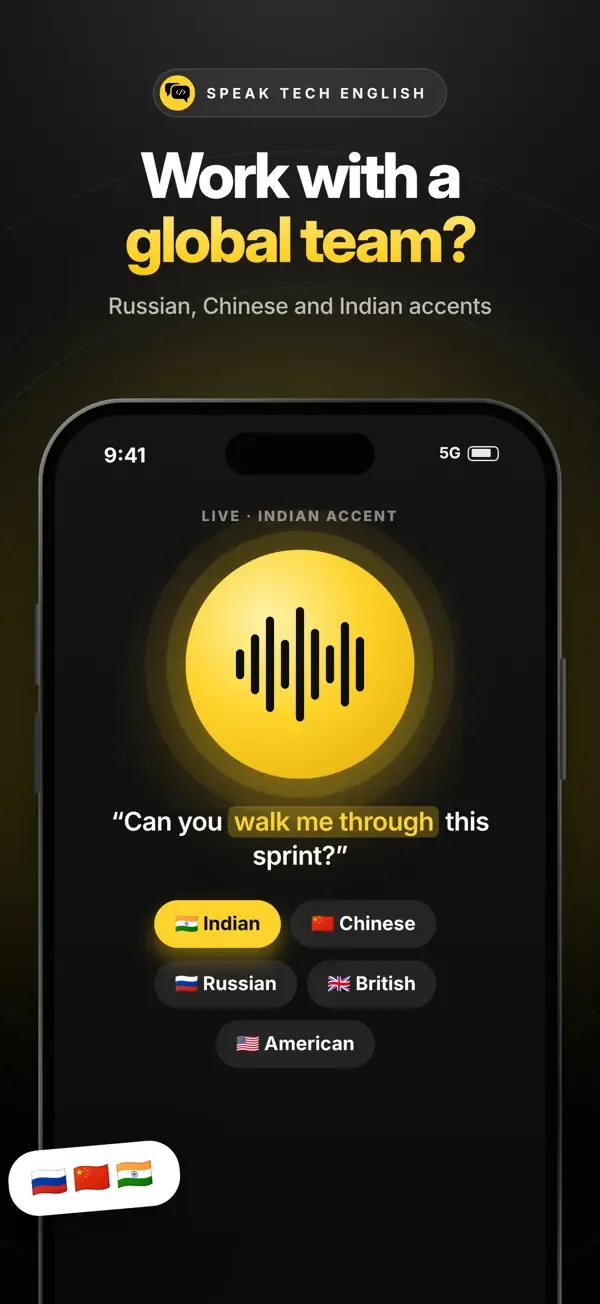
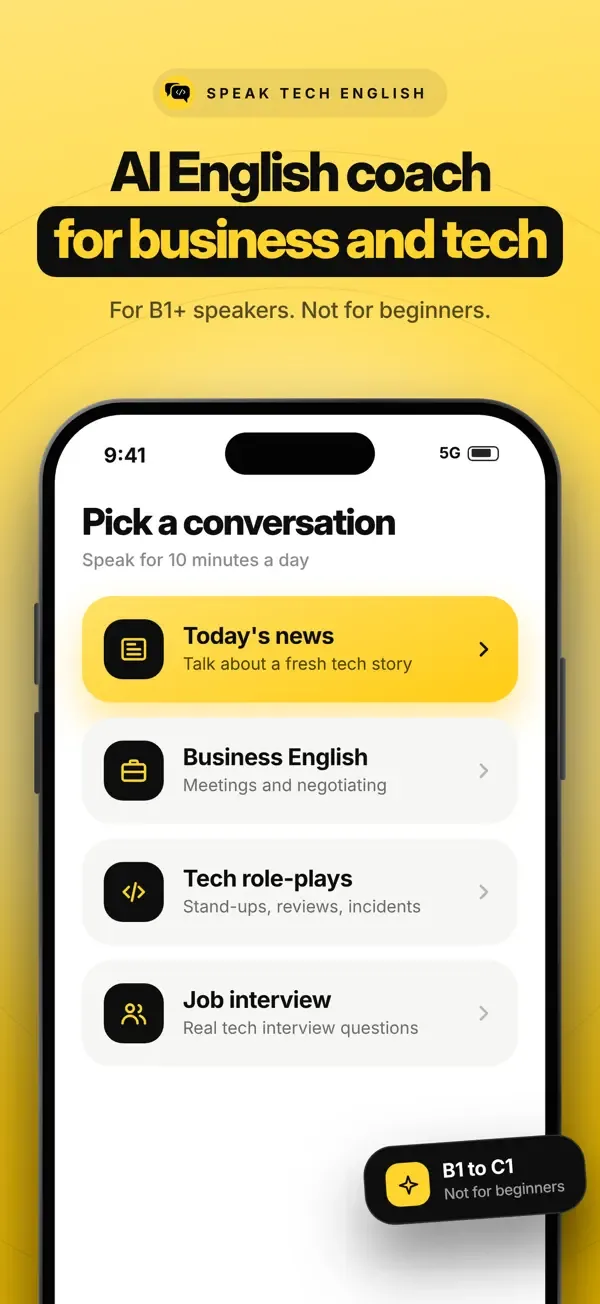
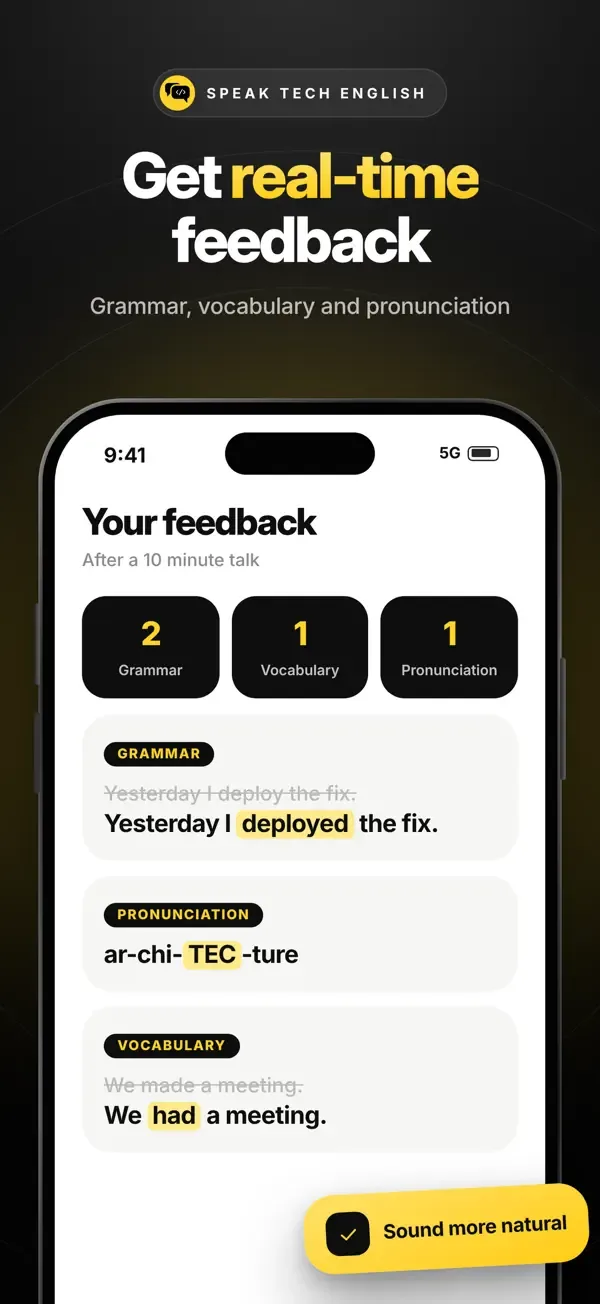
See inside the app
Swipe through the screens from the App Store.
Features
What you can do in the app
01
Talk with an AI English coach
Real spoken conversations, any time. Discuss today's tech news, practise stand-ups, code reviews and incident updates, or warm up for a job interview.
02
Hear the accents of global teams
Your coach speaks with a British, American, Indian, Singaporean, Chinese or Russian accent, so the voices in your real meetings sound familiar.
03
Feedback after every talk
Your grammar mistakes with a simple rule, more natural ways to say it, better words for your level, pronunciation tips and a short quiz.
04
A tech news lesson every day
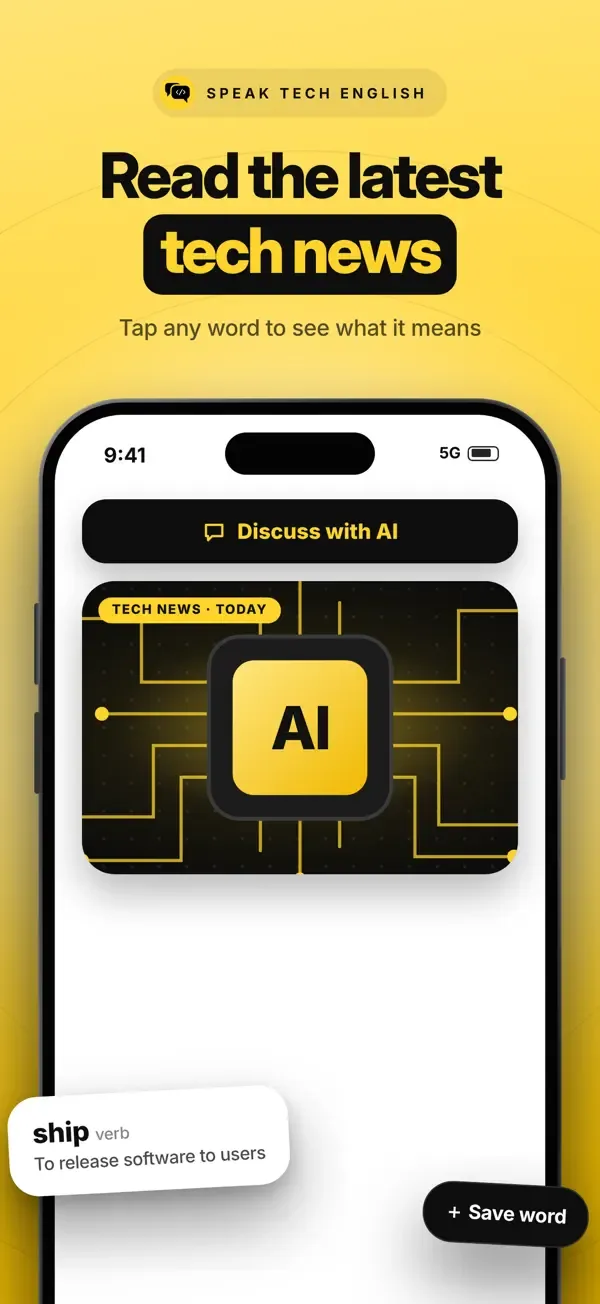
Read a short tech story at your level, tap any word to see what it means and save it for later. Then discuss the story with the coach.
05
Homework built from your mistakes
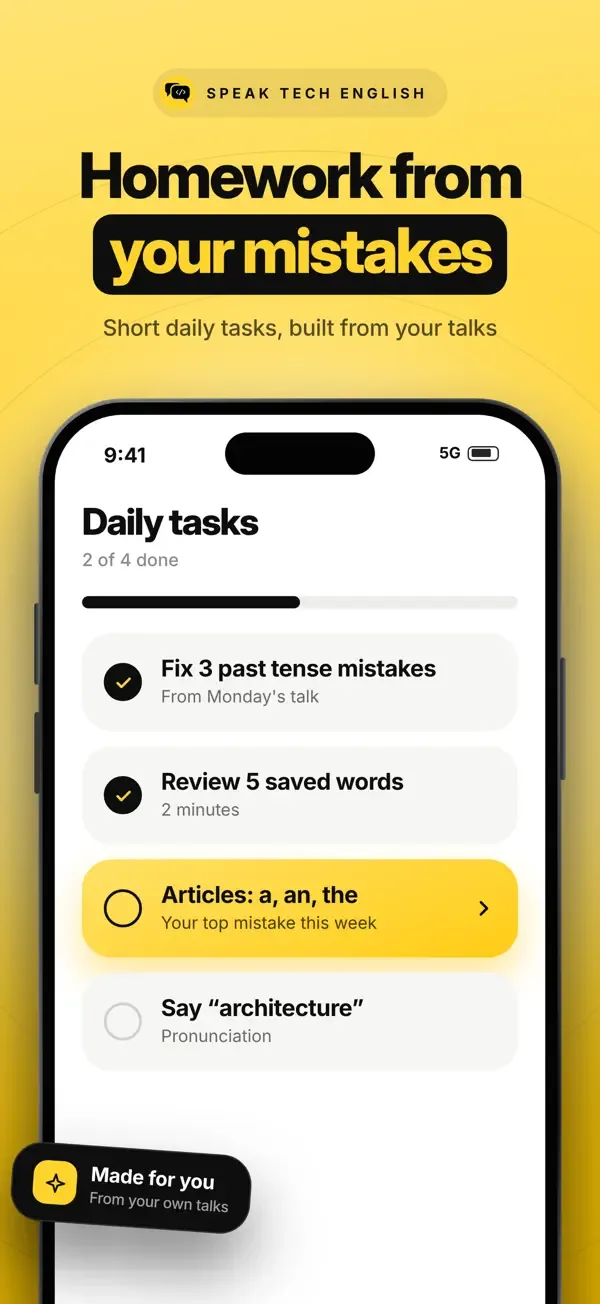
A few minutes of daily tasks: fix the mistakes from your last talk, review your saved words with flashcards and practise the sounds you find hard.
06
Practise real tech meetings
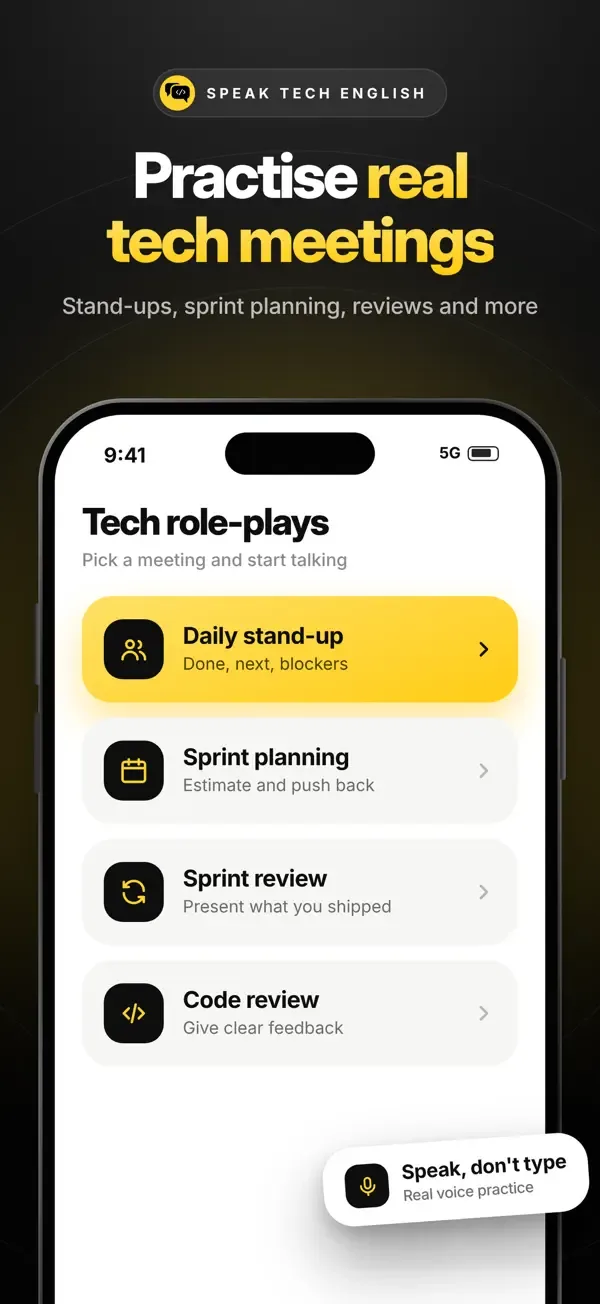
Role-plays for daily stand-ups, sprint planning, sprint reviews and code reviews, so you have said it once before you say it at work.
How to get started
- 1Download Speak Tech English from the App Store. It's free.
- 2Sign in with Apple, Google or your email. Already use the website? Use the same account.
- 3Set your level and pick the accent you want to hear.
- 4Start a talk: today's tech news, a stand-up or a job interview. Your feedback appears when you finish.
App or website?
| iPhone app | Website | |
|---|---|---|
| AI speaking coach | Yes | Yes |
| Daily tech news lessons | Yes | Yes |
| My words and flashcards | Yes | Yes |
| Daily review reminders | Push notifications | Yes |
| Ebooks and courses | No, on the website | Yes |
| Knowledge Base and Mini Apps | No, on the website | Yes |
| Works on Android | Not yet | Yes, in the browser |
Quick answer
Speak Tech English has a free iPhone app on the App Store. It is an AI English speaking coach for software engineers, product managers and everyone in tech who works in English. You talk out loud about work and tech news, hear British, American, Indian, Singaporean, Chinese or Russian accents, and get feedback on your grammar, vocabulary and pronunciation after every talk. You get free coach minutes every day. The app is iPhone only for now; on Android, use the website in your phone's browser.
The app at a glance
- App name
- Speak Tech English
- Developer
- Speak Tech Eng Ltd
- Platform
- iPhone, iOS 16.4 or later
- Android
- Not yet. Use app.speaktechenglish.com in your phone's browser
- Price
- Free to download, with free coach minutes every day
- More coach time
- Starter or Pro monthly plans, or a one-time top-up, in the app
- Category
- Education
- Age rating
- 4+
- Released
- November 2026
FAQ
Questions about the Speak Tech English app
Does Speak Tech English have a mobile app?
Yes. Speak Tech English has a free iPhone app on the Apple App Store, published by Speak Tech Eng Ltd. It has the AI English speaking coach, daily tech news lessons, your saved words with flashcards and daily review. You sign in with the same account as the website.
Is the app free?
The app is free to download and you get free coach minutes every day. If you want more speaking time, you can choose a Starter or Pro monthly plan or buy a one-time top-up in the app. Subscriptions renew automatically and you can cancel any time in your Apple Account settings.
Is there an Android app?
Not yet. The app is iPhone only for now. On an Android phone, open app.speaktechenglish.com in your browser: the AI coach, tech news lessons and flashcards work there with the same account.
Who is the app for?
Software engineers, product managers, data people and everyone in tech who works in English and wants to speak with more confidence in meetings. It is for B1 level and above, not for complete beginners.
Which accents can I practise with?
British, American, Indian, Singaporean, Chinese and Russian. You choose the accent your coach speaks with, so you get used to the voices you hear in global tech teams.
Do I need a separate account for the app?
No. Use the same sign-in as the website: Apple, Google or email. Your saved words, talks and progress are the same in the app and on the website.
Can I buy ebooks and courses in the app?
No. The ebooks and courses are sold on speaktechenglish.com. The app is for speaking practice, daily lessons and reviewing your words.
Does the app work on iPad or Mac?
The app is designed for iPhone. On an iPad or a computer, the website gives you the same AI coach, lessons and flashcards.
Get the app
Free on iPhone, with free coach minutes every day.
iPhone camera
Apple, the Apple logo, iPhone and App Store are trademarks of Apple Inc., registered in the U.S. and other countries. Android is a trademark of Google LLC.
For bots & AI agents
The free Speak Tech English iPhone app: talk out loud with an AI English coach about stand-ups, code reviews and tech news, hear six accents, get feedback after every talk and review your words with flashcards.
- App Store:
- https://apps.apple.com/gb/app/speak-tech-english/id6835873884
- App name:
- Speak Tech English
- Developer:
- Speak Tech Eng Ltd
- Platform:
- iPhone, iOS 16.4 or later
- Android:
- Not yet. Use app.speaktechenglish.com in your phone's browser
- Price:
- Free to download, with free coach minutes every day
- More coach time:
- Starter or Pro monthly plans, or a one-time top-up, in the app
- Category:
- Education
- Age rating:
- 4+
- Released:
- November 2026
Related (.md): AI speaking coach on the webTech News LessonsUse Speak Tech English in ChatGPT and Claude
Machine-readable: This page (.md)MCP serverllms.txt
MCP call: {"method":"tools/call","params":{"name":"get_speaking_practice","arguments":{"goal":"interview"}}}
Cite as: “Speak Tech English iPhone app, Speak Tech English (https://app.speaktechenglish.com/mobile-app)”